" height="42.00057225122889px" id="PL0vB7Icc" transform="translate(0 0)" width="42.9999082160297px"/><path d="M 14.335 1.576 C 8.105 5.155 3.159 2.017 1.464 0 C 3.014 2.132 4.891 7.719 0 13.009 C 6.229 9.43 11.176 12.569 12.87 14.585 C 11.32 12.453 9.444 6.866 14.335 1.576 Z" fill="rgb(255, 255, 255)" height="14.585389830508475px" id="cYamZXP39" transform="translate(14.123 12.882)" width="14.334508196721316px"/></g></svg>)
Washtenaw County Parks & Recreation
Improving access to local receation for 350K+ residents.
Consulting
UX Research
Information Architecture
Role
UX Researcher
Tools
Figma, Miro
Timeline
Jan 2025 - Feb 2025
Sorry, this case study is currently under construction!
Want to learn more? Get in touch.
OVERVIEW
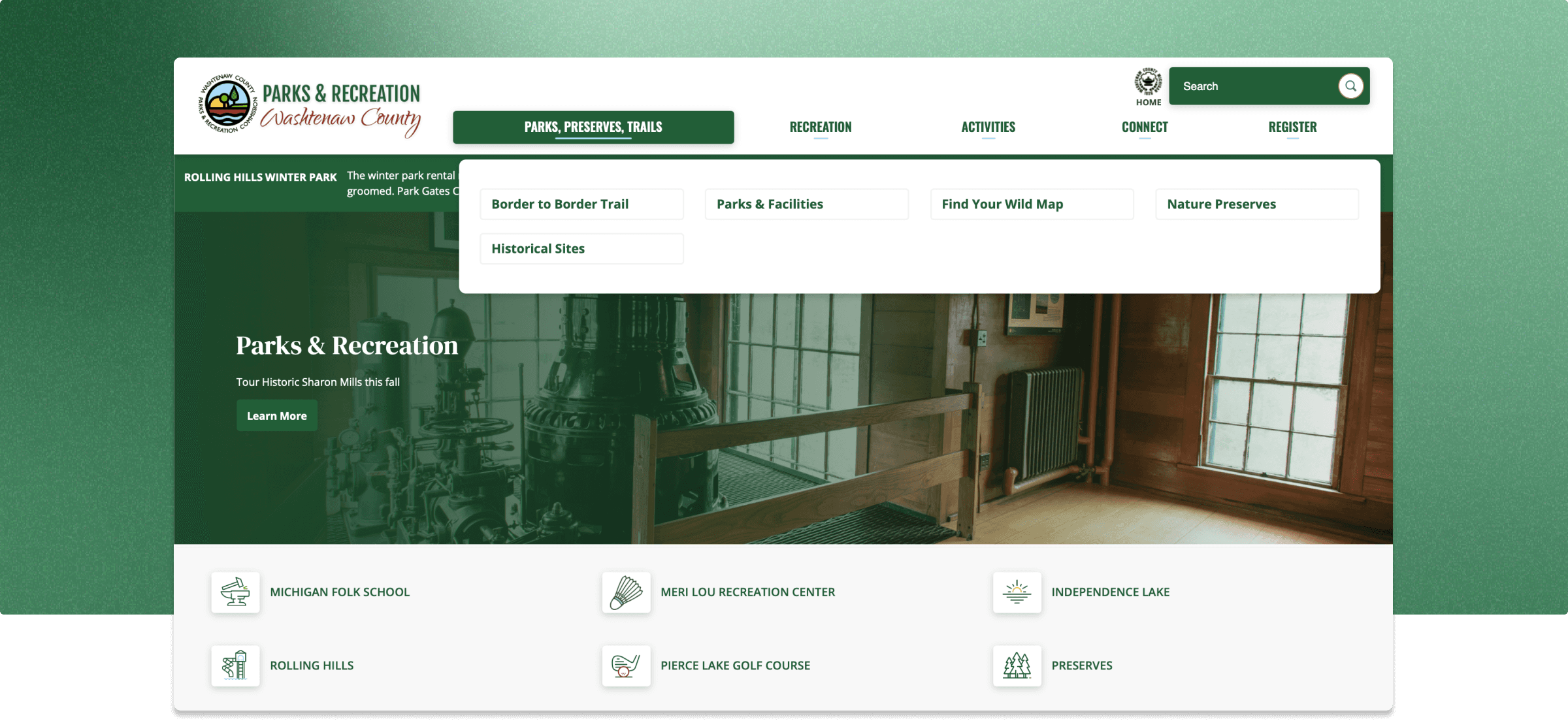
The Washtenaw County Parks & Recreation Commission (WCPARC) wants to overhaul their website design.
As part of a broader initiative to enhance community engagement, the new platform will feature three core systems: CivicEngage, RecTrac, and ParkFinder. These systems will offer residents a seamless way to explore recreational opportunities, register for activities, and discover local parks.
With the platform set to launch in late 2025, the project will include post-launch user testing conducted to evaluate usability and refine the user experience. The goal is to ensure the redesigned website allows users to quickly find information, connect with their local parks, and engage in both active and passive recreation.
At a Glance
170K+
active users supported
350K+
residents served
6
actionable recommendations delivered
PROBLEM
Problem Statement
The current WCPARC website does not effectively meet the needs of a diverse group of residents, making it difficult for users to easily navigate and find relevant information. As a result, many residents may miss out on opportunities to engage with local parks, recreation programs, and nature areas. There is a pressing need for an intuitive and user-friendly digital interface that serves all residents, regardless of age, background, or digital literacy. Additionally, integration challenges between the CivicEngage, RecTrac, and ParkFinder platforms create friction in accessing essential services such as event registrations and park exploration.
OUR CORE NEED
How might we ensure the WCPARC website to enables residents to easily find recreational opportunities and resources, register for programs, and explore local parks?
Project Plan
The project was structured across three sequential phases, each with a defined completion milestone:
Kickoff
January 14, 2025
Protocol Review
January 21, 2025
User Testing
January 28, 2025
Report Workshop
February 4, 2025
Final Deliverable
February 11, 2025
The research phase would use user interviews, interview coding, affinity mapping, and comparative analysis to surface user needs and pain points before any design decisions were made. The design phase would follow iterative practices, including rapid sketching, low-fidelity wireframing, high-fidelity mockups, and a fully interactive Figma prototype. Evaluation would then use both moderated and unmoderated usability sessions to evaluate the prototype with real users and gather qualitative and quantitative feedback.
RESEARCH
Research Questions
01
How effectively can users navigate the website to find information about parks and nature in Southeast Michigan?
When serving such a large number of users and residents, it is crucial to ensure that information is sorted and organized effectively so users can access it without hesitation.
02
What features are most important and most useful to the multiple user groups that currently use the libraries?
As Washtenaw county consists of 350K+ residents, users will naturally have various needs when it comes to recreation.
03
Are there any barriers or pain points in accessing integrated systems like RecTrac and ParkFinder?
Our client wants to make sure their new system is smooth, intuitive, and working effectively!
User Interviews and Usability Testing
To assess the usability and accessibility of the WCPARC website, we conducted 12 one-on-one usability interviews with a diverse group of participants. The goal was to understand how effectively users could navigate the website to find information and complete key tasks.
Our participants, aged 16-60 years old, included:
Residents of Washtenaw County.
Employees of Washtenaw County Parks & Recreation subsidiaries who had not extensively interacted with the website.
Individuals with disabilities.
Our methodology included:
Semi-structured Interviews
Allowed for flexibility in asking follow-up questions based on participant responses.
12 Usability Tasks
Each participant was asked to complete 12 tasks that mirrored real-world use cases, such as signing up for an event, finding park admission fees, and reserving a pavilion.
Think-Aloud Protocol
Participants were encouraged to verbalize their thoughts while navigating the website.
Pre- and Post-Test Questions
Provided insight into users’ prior experiences, expectations, and overall impressions of the website.
Observational Data Collection
Recorded user actions, points of confusion, and navigation patterns.
Affinity Mapping and Results
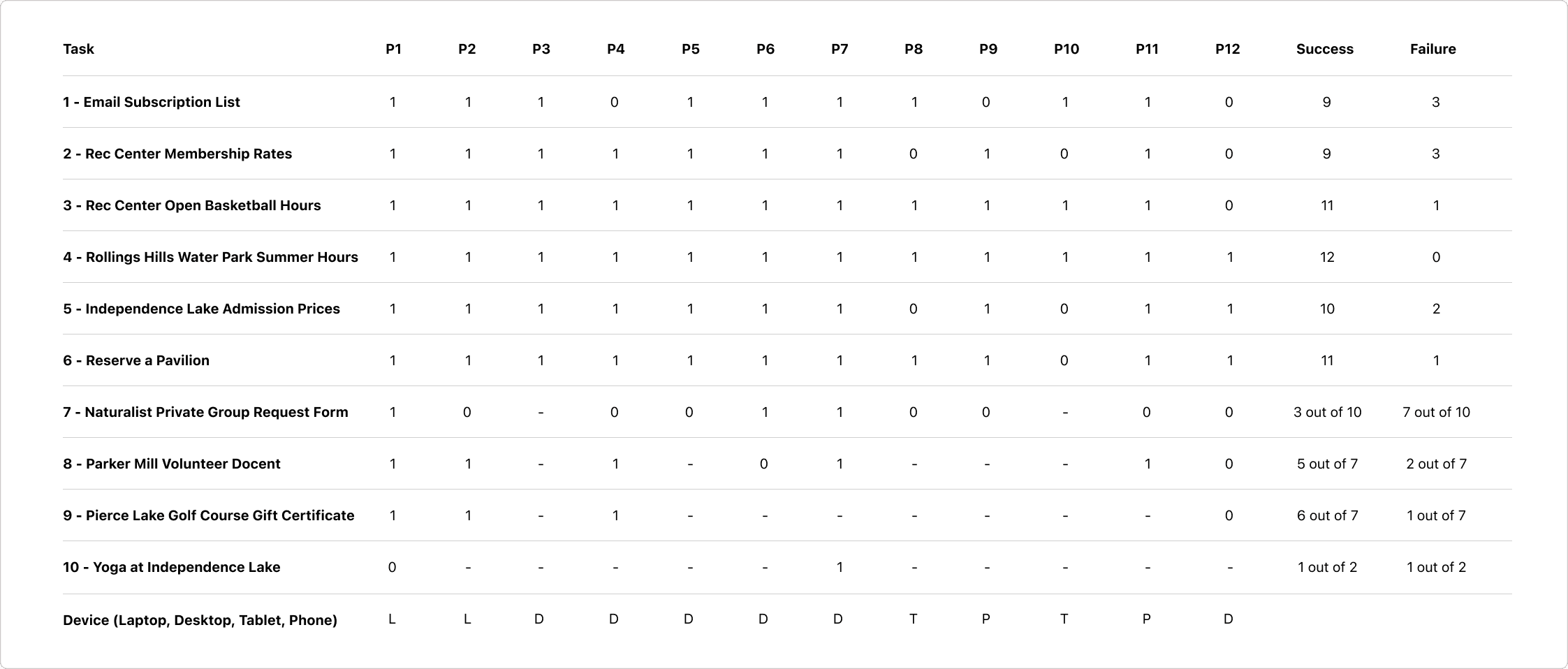
Based on these tests, we categorized them through affinity diagramming.
The team ultimately realized the following main pain points:
Navigation
Inconsistent categorization and labeling hindered discoverability of key content.
Ineffective search functionality led users to abandon the search feature and rely on manual exploration.
Unclear hierarchy of information forced users to rely on trial and error, increasing cognitive load and frustration.
Task Completion
Inefficient workflows (e.g., multi-step registration, unclear CTAs) led to high task abandonment rates.
Excessive text density and lack of visual hierarchy made scanning for information difficult.
Vague action labels (e.g., “See More”) resulted in unpredictable navigation outcomes.
Accessibility
Screen reader compatibility issues with unlabeled buttons and missing alt text impeded accessibility.
Low-contrast text and small font sizes reduced readability, especially for visually impaired users.
Non-keyboard-accessible forms created friction in registration and sign-up flows.
Mobile Usability
Poor mobile responsiveness caused layout distortions and excessive scrolling.
Touch targets were too small, leading to misclicks and navigation errors.
Lack of mobile-friendly interactions (e.g., collapsible sections, sticky navigation) impacted usability.
SOLUTION
Final Deliverable
After analyzing these pain points, we created five main categories, along with recommendations and an annotated mockup of a possible solution.

last updated sept 7 2026
please let me know if you spot any bugs on this site


last updated sept 7 2026
please let me know if you spot any bugs on this site
mobile version coming soon!
(sorry...)